
Rule build_natura_raster#
![digraph snakemake_dag {
graph [bgcolor=white,
margin=0,
size="8,5"
];
node [fontname=sans,
fontsize=10,
penwidth=2,
shape=box,
style=rounded
];
edge [color=grey,
penwidth=2
];
9 [color="0.22 0.6 0.85",
label=build_renewable_profiles];
12 [color="0.31 0.6 0.85",
fillcolor=gray,
label=build_natura_raster,
style=filled];
12 -> 9;
}](../_images/graphviz-d95b670586e01b1fbec0e172803976f357793fdc.png)
Converts vectordata or known as shapefiles (i.e. used for geopandas/shapely) to our cutout rasters. The Protected Planet Data on protected areas is aggregated to all cutout regions.
Relevant Settings#
renewable:
    {technology}:
        cutout:
See also
Documentation of the configuration file config.yaml at
renewable
Inputs#
data/raw/protected_areas/WDPA_WDOECM_Aug2021_Public_AF_shp-points.shp: WDPA World Database for Protected Areas.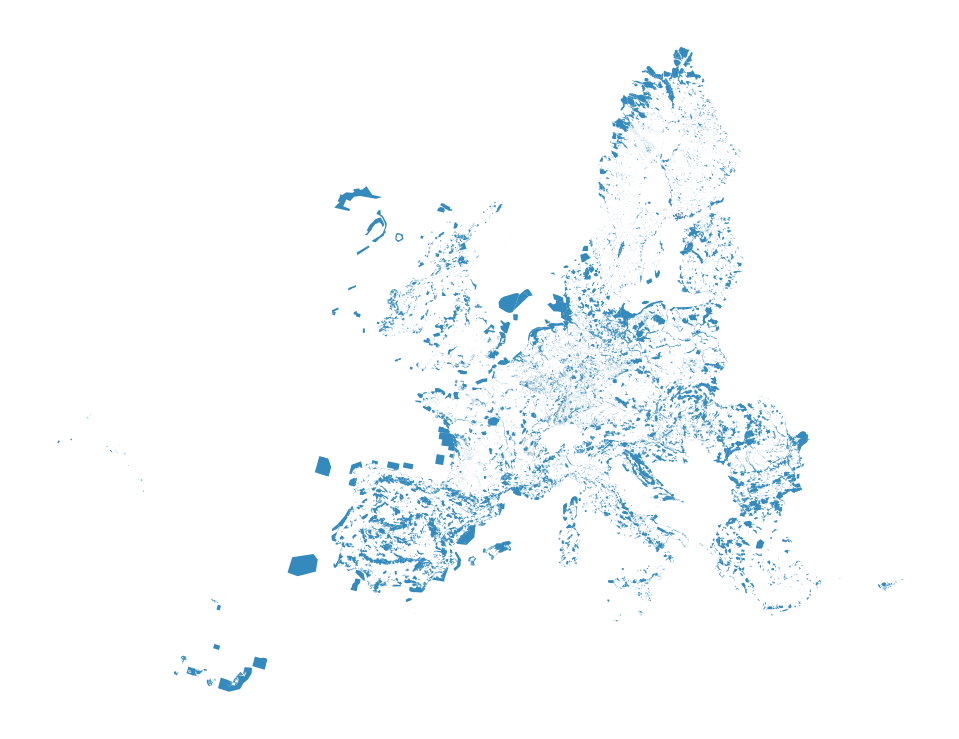
Outputs#
resources/natura.tiff: Rasterized version of Natura 2000 natural protection areas to reduce computation times.
Description#
To operate the script you need all input files. The Snakefile describes what goes in and out. Make sure you didn’t skip one of these. Maybe not so obvious is the cutout input. An example is this africa-2013-era5.nc
- Steps to retrieve the protected area data (as apparently no API is given for the WDPA data):
Download the WPDA Dataset: World Database on Protected Areas. UNEP-WCMC and IUCN (2021), Protected Planet: The World Database on Protected Areas (WDPA) and World Database on Other Effective Area-based Conservation Measures (WD-OECM) [Online], August 2021, Cambridge, UK: UNEP-WCMC and IUCN. Available at: www.protectedplanet.net.
Unzipp and rename the folder containing the .shp file to protected_areas
Important! Don’t delete the other files which come with the .shp file. They are required to build the shape.
Move the file in such a way that the above path is given
Activate the environment of environment-max.yaml
Ready to run the script
Tip: The output file natura.tiff contains now the 100x100m rasters of protective areas. This operation can make the filesize of that TIFF quite large and leads to problems when trying to open. QGIS, an open source tool helps exploring the file.