Tutorial: Building and Running the Electricity Model
Note
This tutorial assumes that you have already installed PyPSA-Earth and have a working environment. If you have not yet installed PyPSA-Earth, please refer to the installation section.
To properly model any region of the Earth, it is first crucial to get familiar with a tutorial where a simpler model is considered. This section explains how to run and analyze the tutorial model.
Build the tutorial electricity-only model
The user can explore the majority of the model's functions on a local machine by running the tutorial, which uses fewer computational resources than the entire model does. A tutorial data kit was developed to facilitate exploring the model.
You can build it using the tutorial configuration file config.tutorial.yaml (placed in the project folder pypsa-earth). It includes parts deviating from the default config file config.default.yaml, which are necessary to run the tutorial model. By default, PyPSA-Earth reads configuration parameters of simulation from config.yaml file located in pypsa-earth folder. Thus, to run the tutorial model, config.tutorial.yaml needs to be stored as config.yaml:
How to configure runs for the tutorial model
The model can be adapted to include any selected country. But this tutorial is limited to Nigeria ("NG"),
Benin ("BJ"), Botswana ("BW") and Morocco ("MA").
It's recommended to set retrieve_databundle: true when building the model for the first time to download all needed common data files.
When the first run is completed and all the necessary data are extracted, it may be a good idea to set retrieve_databundle: false to avoid data loss.
enable:
retrieve_databundle: true  #  Recommended 'true', for the first run. Otherwise data might be missing.
The scenario is defined by the number of clusters and the optimization options. The tutorial model is set to have 6 clusters and the optimization option "Co2L-4H" which translates absolute carbon-dioxide emission limit with the model resampled to 4H resolution.
The temporal scope is set to a single week. This is to make sure that the model completes in no time.
Note
For more information on the configuration file, please refer to the config section.
Run the model
After configuration set-up, the model is ready to be built and run. Open a terminal, go into the PyPSA-Earth directory, and activate the pypsa-earth environment with
You then need to copy the tutorial config file to config.yaml
Pro Tip
If you previously have a config.yaml file, You may want to reserve a copy of
your current configuration file (config.yaml) as it will be overwritten by a tutorial configuration.
Before running the workflow you may check how it will look by using --dryrun or -n Snakemake option:
This triggers a workflow of multiple preceding jobs that depend on each rule's inputs and outputs:
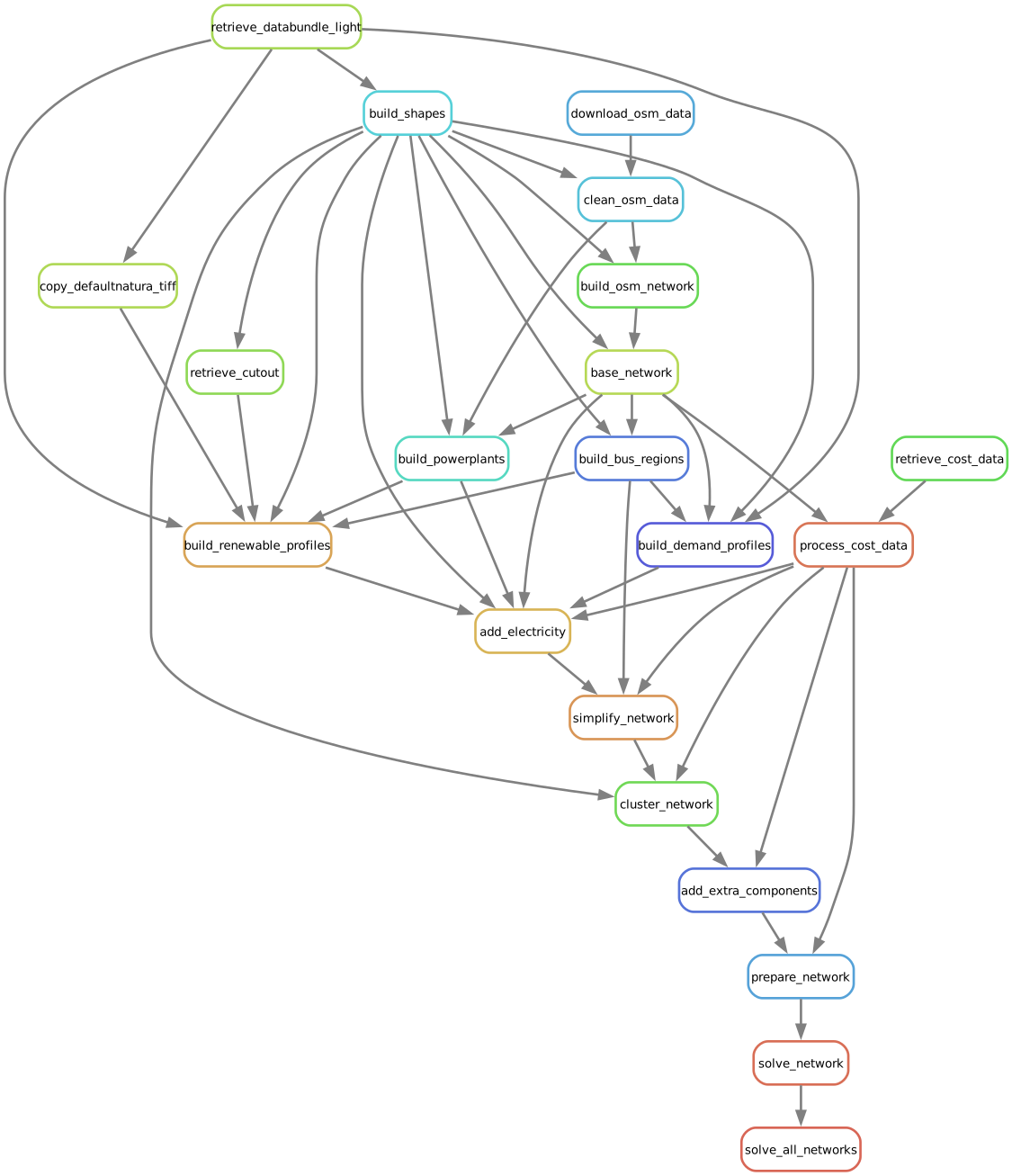
In the terminal, this will show up as a list of jobs to be run:
Building DAG of jobs...
Job stats:
job  count
-------------------------  -------
add_electricity  1
add_extra_components 1
base_network 1
build_bus_regions1
build_demand_profiles1
build_natura_raster  1
build_osm_network1
build_powerplants1
build_renewable_profiles 5
build_shapes 1
clean_osm_data   1
cluster_network  1
download_osm_data1
prepare_network  1
retrieve_cost_data   1
retrieve_databundle_light1
simplify_network 1
solve_all_networks   1
solve_network1
total   23
To run the whole model workflow you just need the following command:
You can also run the tutorial model using the tutorial config directly by using the following command:
This command will trigger loading of the whole dataset needed to build the model for a tutorial case if
both tutorial and retrieve_databundle flags are on. The tutorial model will run simulation of power systems in Nigeria and Benin.
Note that data load will need about 1.6GB and model building will take a while (about 20-50 minutes).
Pro Tip
It is good practice to perform a dry-run using the option -n, before you commit to a run:
Additionally, if you encounter issues with the rule retrieve_databundle_light, you can use the following script to debug it through the command line interface (CLI):
Analyse the solved networks
The solved networks can be analysed just like any other PyPSA network (e.g. in Jupyter Notebooks).
Quick Statistics
Use network.statistics() to get a quick overview of your solved network, including installed capacities, generation, and costs.
The video below shows how to analyse solved PyPSA-Eur networks in Jupyter Notebooks. Fabian Neumann did a great job explaining the basics of PyPSA and how to use it for analysis.
We also prepared an example notebook such that you can explore the tutorial network yourself. Just open in our notebooks repository the file sample-network-analysis.ipynb. For further inspiration on what you can analyse and do with PyPSA, you can explore the examples section in the PyPSA framework documentation.
After playing with the tutorial model and before playing with different functions,
it's important to clean-up data in your model folder before to proceed further to avoid data conflicts.
You may use the clean rule for making so:
Generally, it's a good idea to repeat the cleaning procedure every time when the underlying data are changed to avoid conflicts between run settings corresponding to different scenarios.
It is also possible to make manual clean-up removing folders resources, networks and results. Those folders store the intermediate output of the workflow and if you don't need them anymore it is safe to delete them.
Pro Tip
This tutorial only covers Nigeria and Benin. To make the workflow run on other regions you need to use the config.default.yaml as `config.yaml``.
To use the model in and outside Africa, you should also read How to create a model for you region of interest with PyPSA-Earth?
Model Customization section elaborates on building and running a full PyPSA-Earth model.